How it works
From manuscript to a week of posts
Five steps, most of them done for you. Everything stays editable.
👆 Click any step to see that part of the studio, and click the picture to see it full size
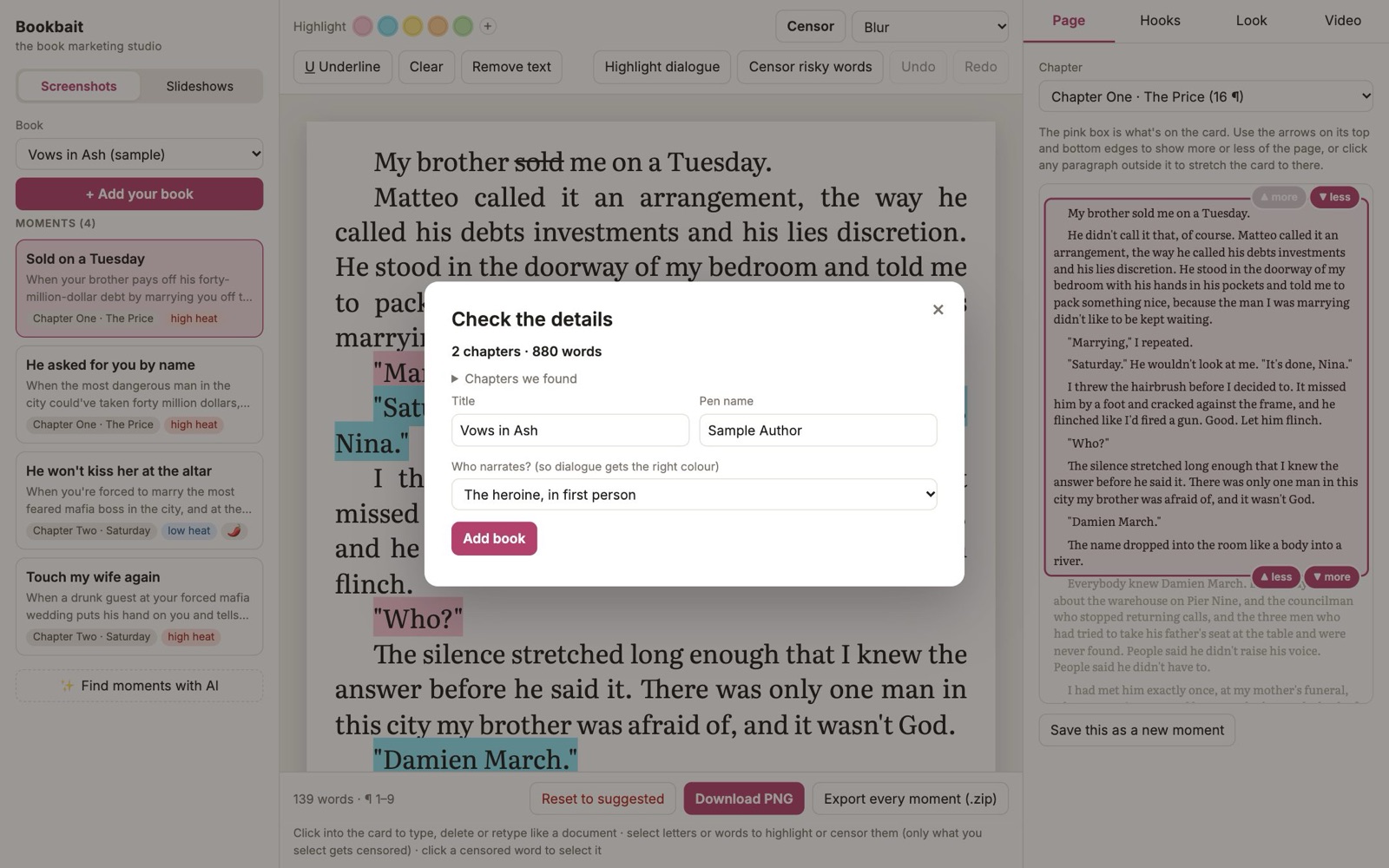
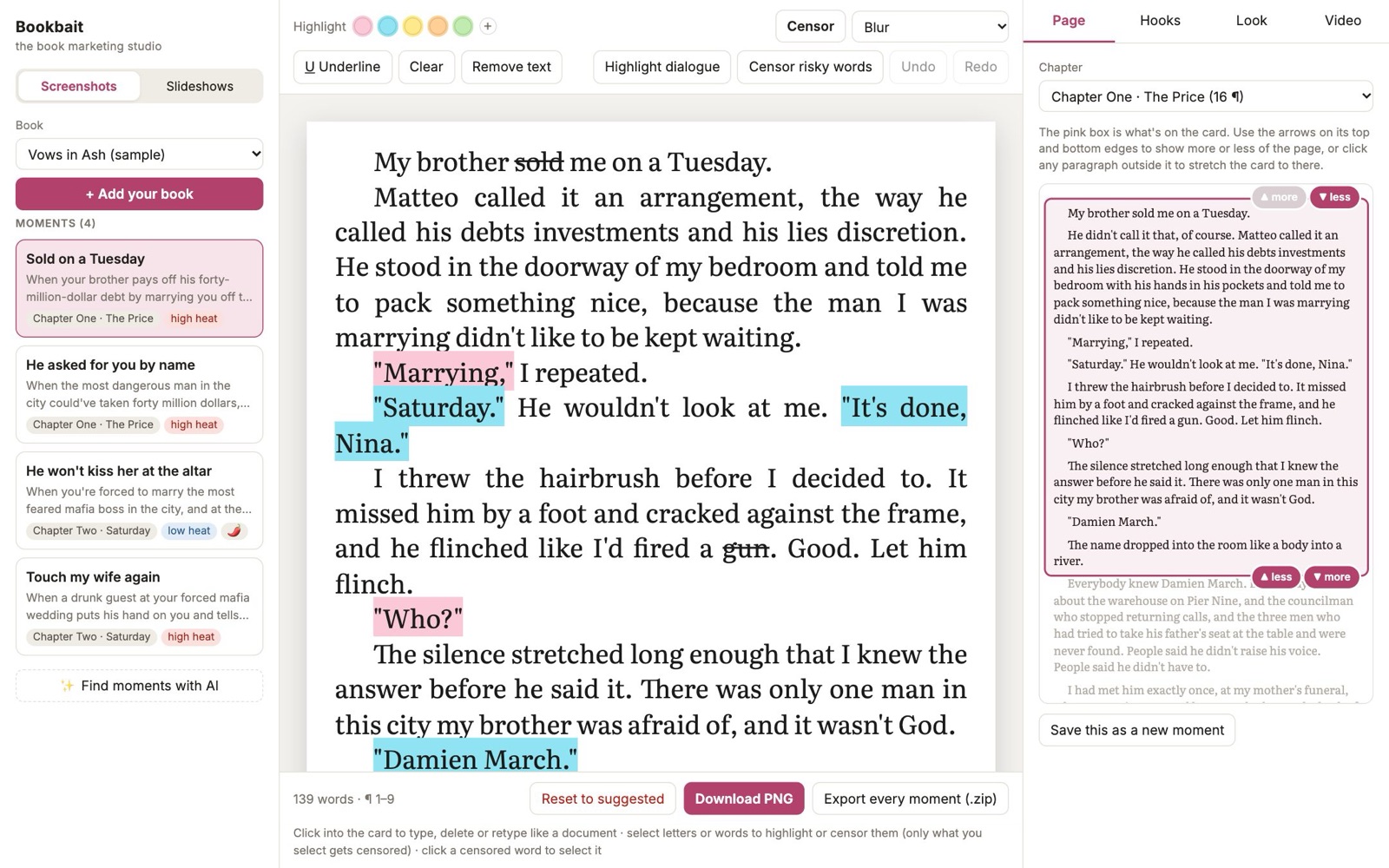
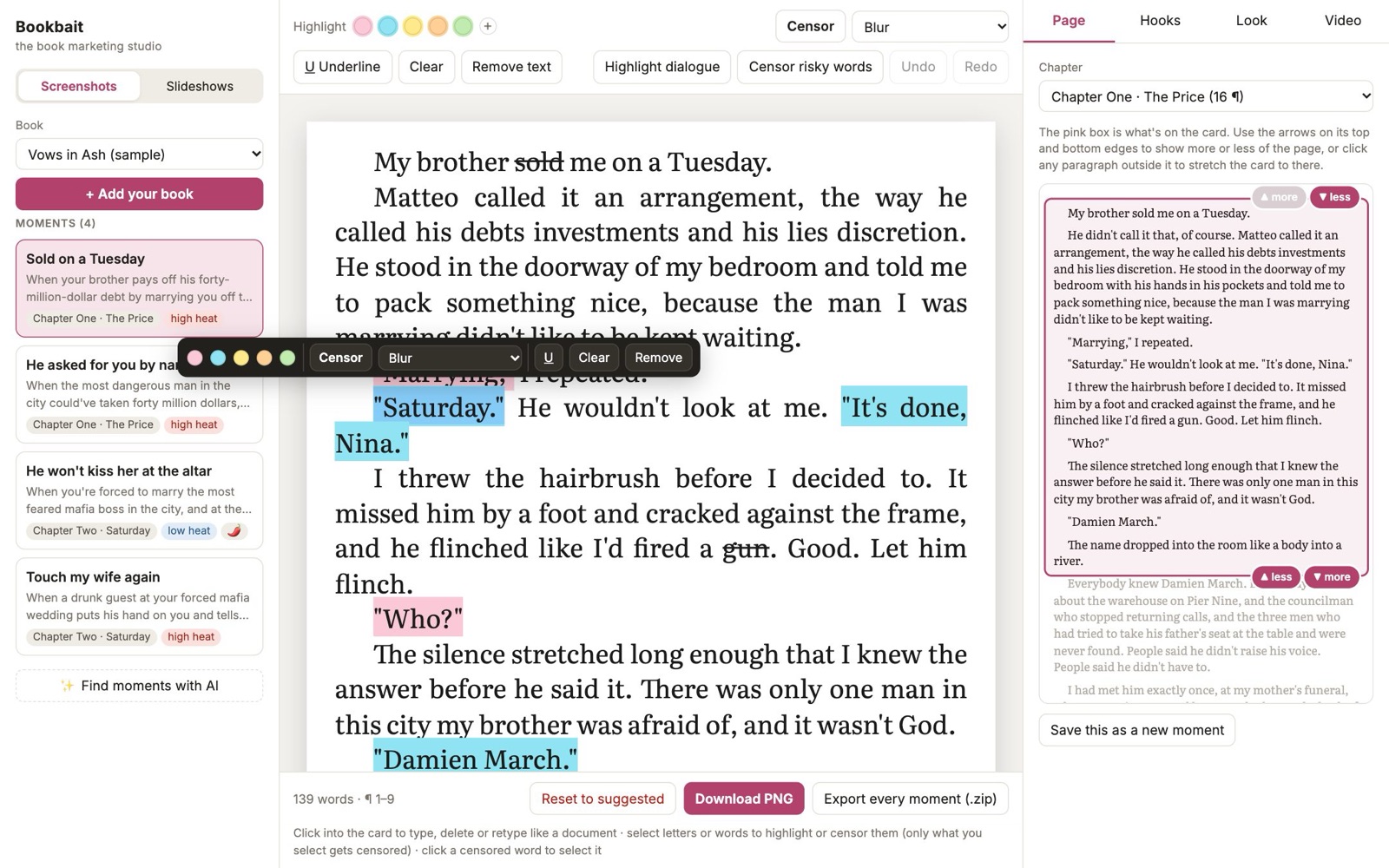
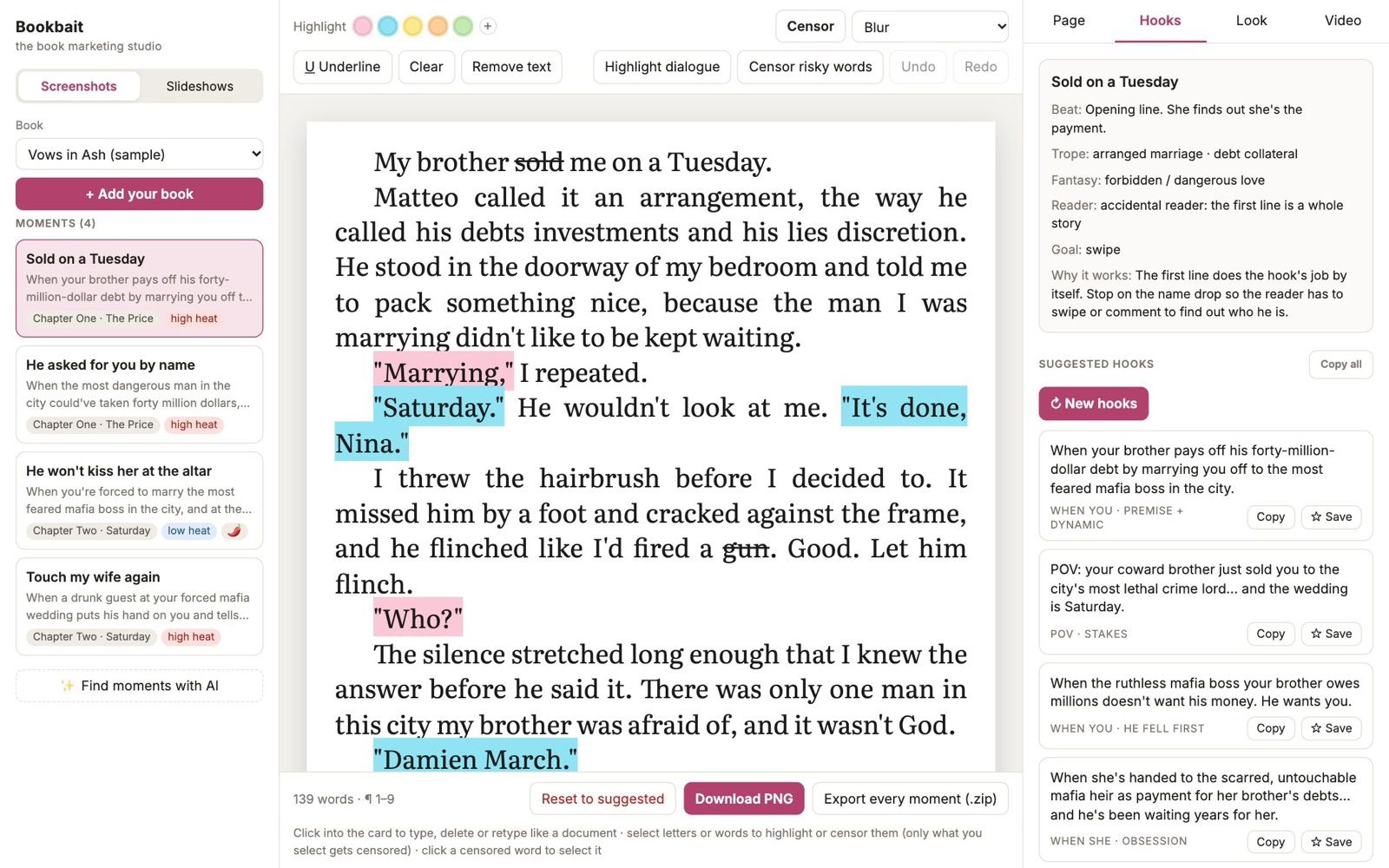
Add your manuscript. Get the screenshot-worthy pages, hooks that lead with the trope, slideshow scripts and finished videos. You stay in charge of every word.
Opening soon. Free forever on one book, no card needed.
Five steps, most of them done for you. Everything stays editable.
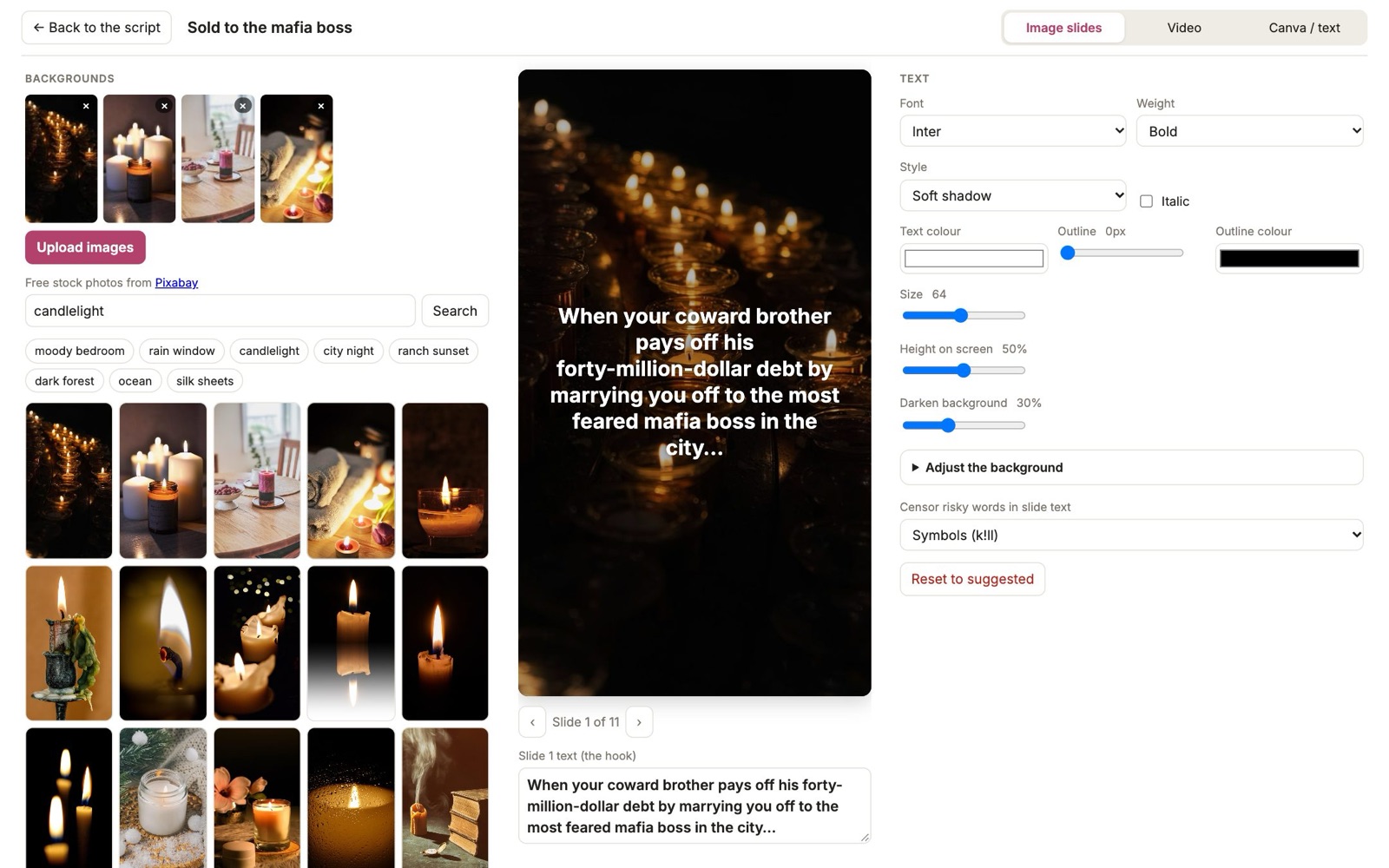
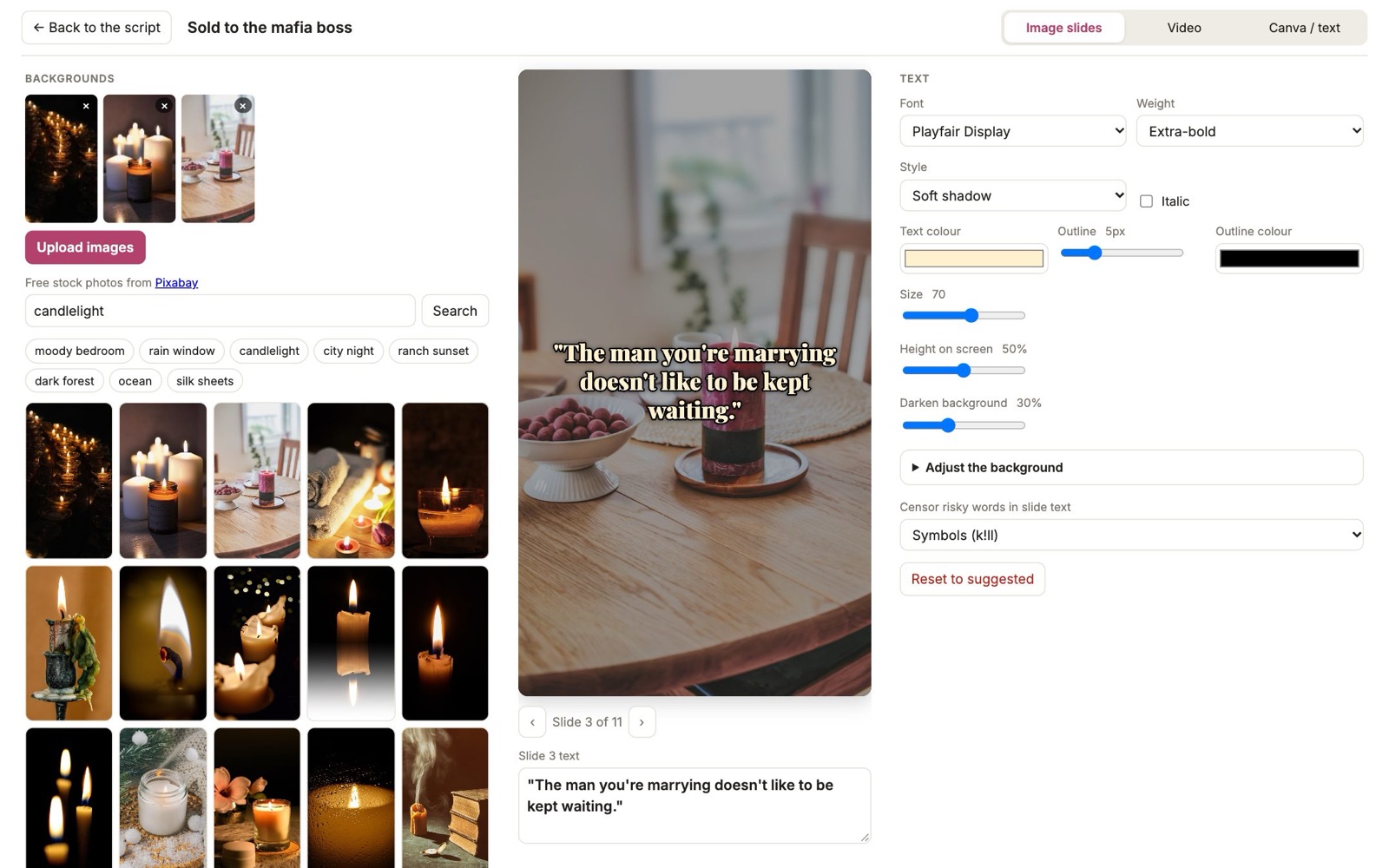
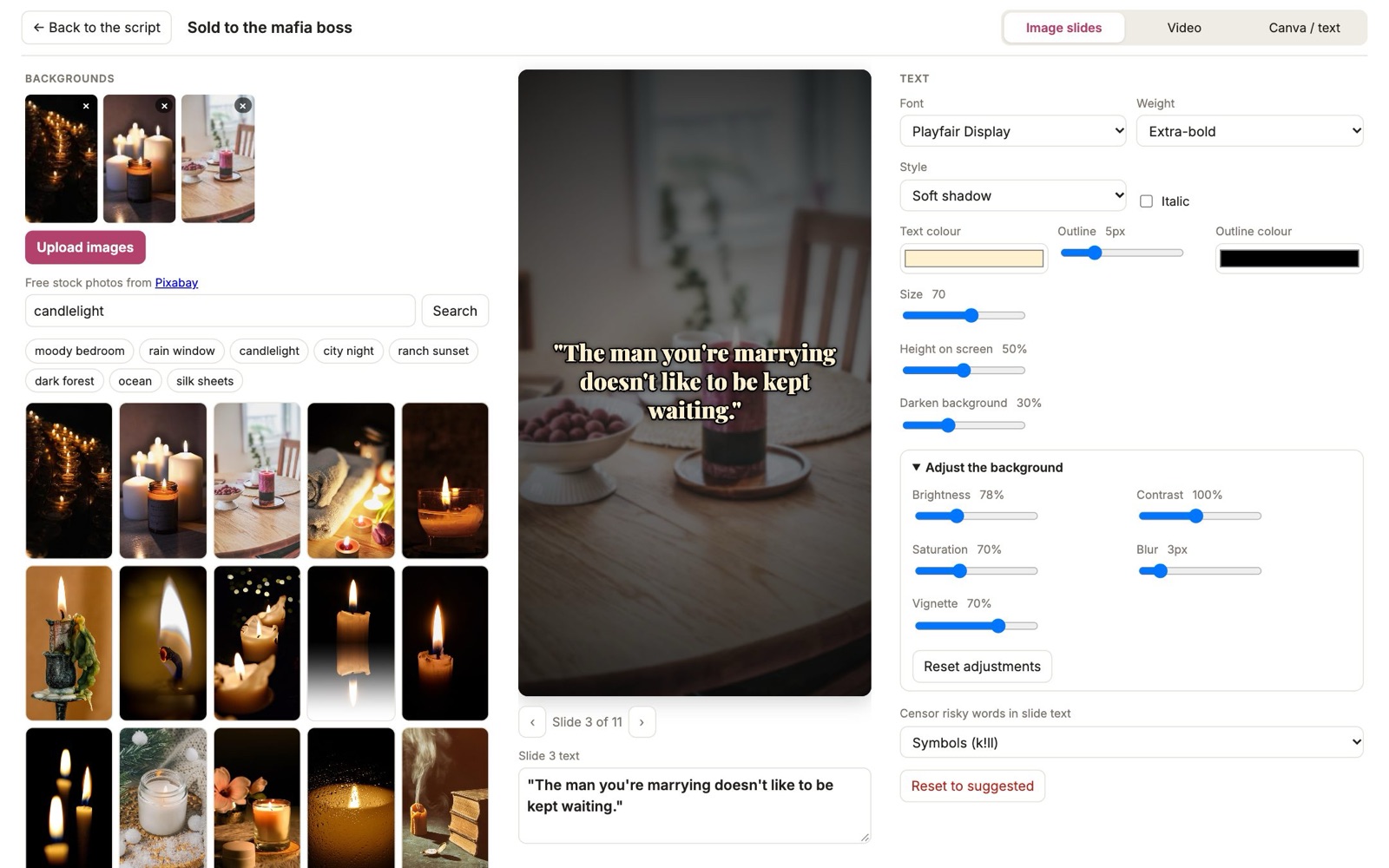
Every slide and video is yours to style, right in the studio. No Canva needed, unless you want it.
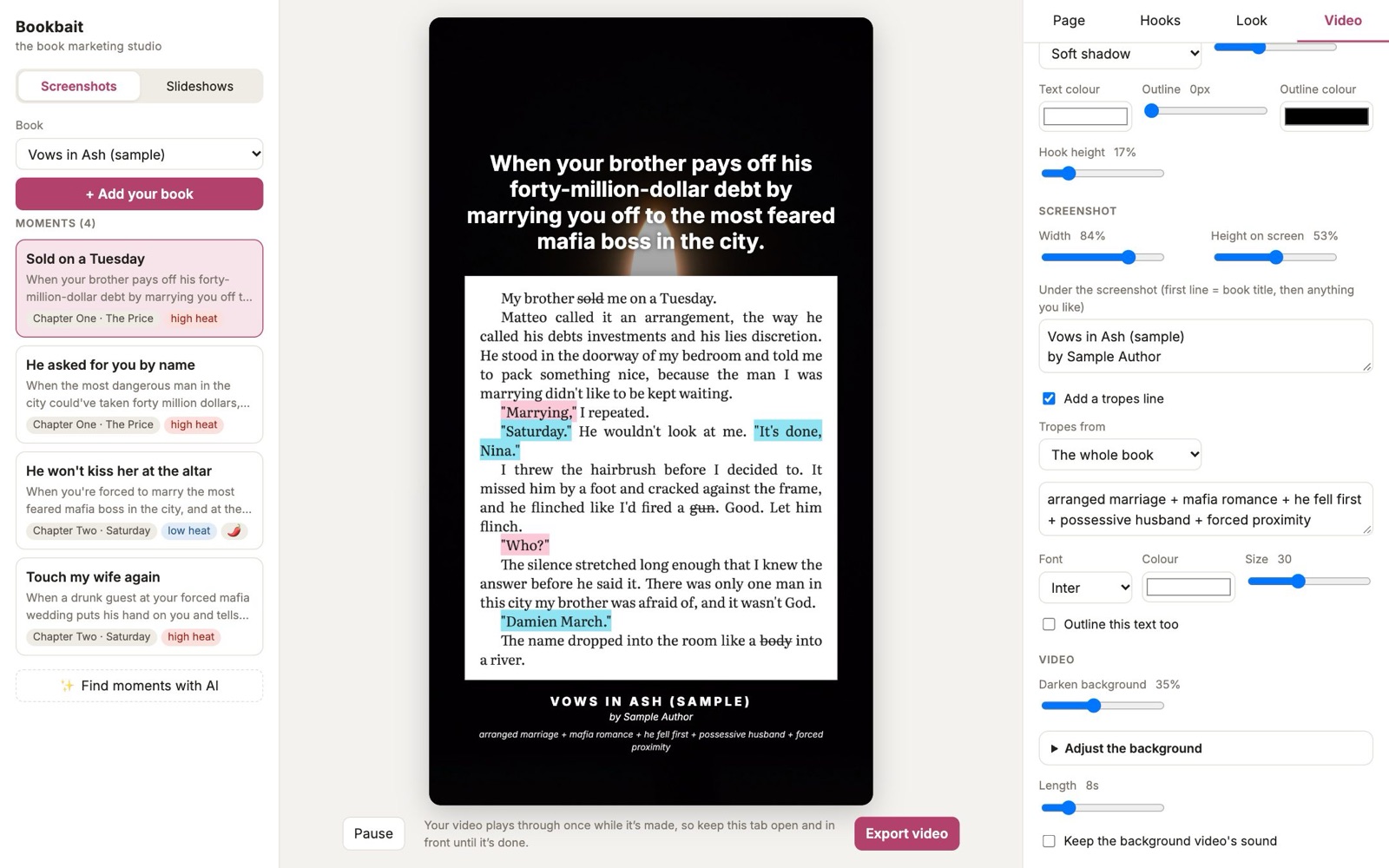
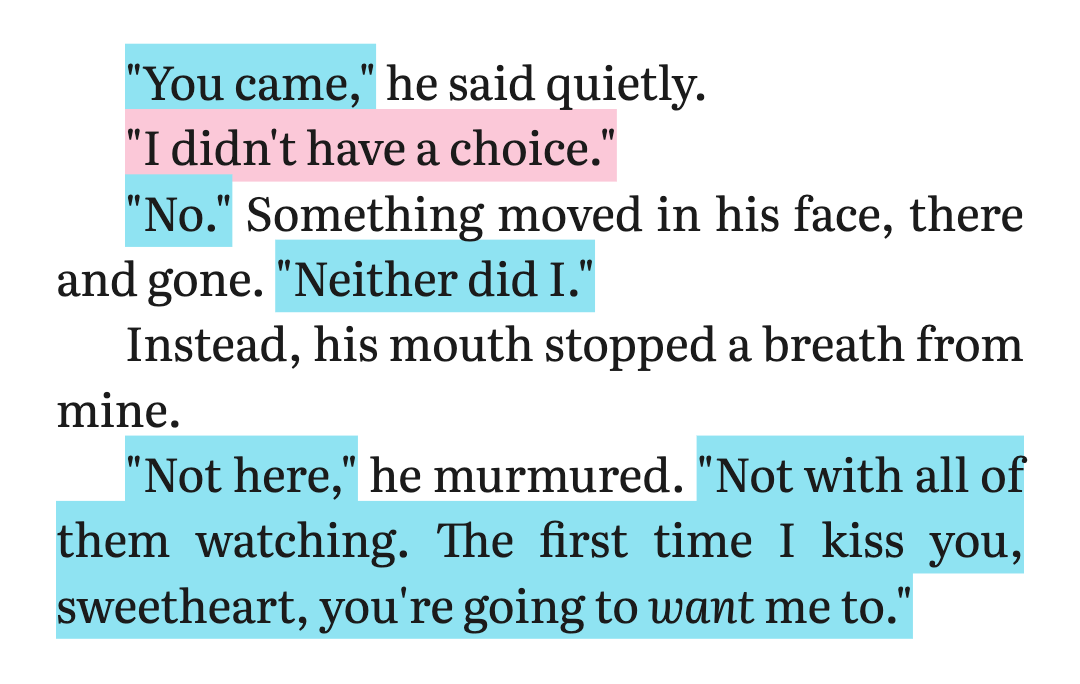
A clean e-reader crop of the passage, ready for Canva, CapCut or the studio’s own video maker.
Every hook leads with the character dynamic and the trope, gives a stranger the premise, and stops on the turn.
When your brother pays off his forty-million-dollar debt by marrying you off to the most feared mafia boss in the city.
When youPOV: the lethal crime lord your brother owes millions doesn’t want the money. He asked for you. By name.
POVWhen the ruthless mafia heir watched her for years in silence… then bought her brother’s debt just to make her his wife.
When sheNothing says ✨arranged marriage✨ quite like your own brother trading you to the most dangerous man alive to cover his debts.
Reader reactionSlide-by-slide scripts with ALT versions, ready to post three ways.

Ask any AI for a BookTok hook and you get something that could be about any book. The studio gives the AI our own hook method: what to lead with, what a stranger needs to know, where to stop. It’s built from slideshows that actually performed, along with rules for picking moments, trimming the page and colour-coding dialogue.
“In a world of power and danger, one arranged marriage will change everything. 🖤”
Sounds like a movie trailer. No characters, no detail from your book, nothing to make a stranger stop.
“When your coward brother pays off his forty-million-dollar debt by marrying you off to the most feared mafia boss in the city…”
Who they are to each other, the premise, and a turn that makes you need the next slide.
The studio runs on your own AI key. The AI company bills you directly for what you use, usually cents, and there’s a free option. We never see your bill, and we never keep your key or your book.
A code that lets the studio use an AI on your account. Getting one takes about five minutes, and the guides below walk you through it.
Hooks cost from nothing to a few cents a batch. Reading a whole book costs from nothing to about $2.50, once per book. Set a spending limit with the AI company and you’ll never be surprised.
Gemini (free or paid), Claude, ChatGPT, and OpenRouter, which gives you DeepSeek, Grok, Llama, Mistral, Qwen and hundreds more with one key.
It’s read and saved in your browser. When you ask the AI for something, the text passes through our server on its way to the AI you picked. It’s never stored or logged.
It’s saved in your browser and sent only with each request, on its way to your AI. We never store it.
Start with the free option and switch whenever you like. Your books and edits stay put.
Have a key for another provider, or your own setup? Let’s chat, and we’ll see if we can connect it.
Email usCredits are coming soon: no key, no setup. Buy credits and go.
Join the waitlistHeads-up: ChatGPT Plus and Claude Pro subscriptions don’t include API access. An API key is a separate pay-as-you-go account (or Gemini’s free tier).
They all follow the same hook method, and they all write good hooks. Each has its own style, so try a couple and keep the one you like.
The easy way to start. The free tier is rate-limited and Google may use what you send to improve its products. Turn on billing and it doesn’t. Google’s filters sometimes refuse darker scenes.
Set up Gemini →Pick any model, including open-source ones like DeepSeek. The studio shows each model’s cost per batch.
Set up OpenRouter →Anthropic’s top model. Good if you already have a Claude developer account, or want to compare its style with the others.
Set up Claude →Good if you already have OpenAI API credit. Your ChatGPT subscription doesn’t cover it.
Set up OpenAI →| What you do | Gemini (free tier) | OpenRouter (open models) | Claude Opus 5.5 | OpenAI (mid-tier) |
|---|---|---|---|---|
| Refresh hooks (5 hooks) | $0 | under 1¢ | 2–6¢ | 1–4¢ |
| Find moments + slideshows for a 90,000-word novel (once per book) | $0 | 5–25¢ | $1–2.50 | $0.50–1.50 |
| A busy month: 2 books and 300 hook refreshes | $0 | under $1 | $8–23 | $4–15 |
Estimates, October 2026: token counts measured from the studio’s own jobs, multiplied by each provider’s published prices. The provider’s own page is the source of truth: Gemini pricing · OpenRouter models and prices · Claude API pricing · OpenAI API pricing. Inside the studio you can see the actual tokens and cost of every batch you run.
Every plan has every tool. Paid plans unlock unlimited books and downloads. Opening soon: join the waitlist to be first in.
Plus your own AI: from free on Gemini to a few dollars a month, paid straight to the AI company.
Rather not deal with API keys? Soon you’ll be able to use our AI instead: buy credits, no key, no setup. Join the waitlist and we’ll tell you first.
Pick one. Once you have the key, open the studio, go to Hooks on the right, open AI connection at the bottom, choose your AI and paste the key.
AIza.No card needed. The free tier has per-minute limits, so if a whole-book read says “rate limit”, wait a minute and run it again. On the free tier Google may use what you send to improve its products. For an unpublished manuscript, turn on billing in Google AI Studio (the same key then becomes a paid key, and Google stops using your content), or use another AI for the book read.
sk-or-.Good picks to start: a DeepSeek, Kimi or GLM model for cheap, Claude Sonnet for quality. Models marked “free” exist too, but they’re heavily rate-limited and some log what you send.
sk-ant-.sk-.No. Your key pays for the AI, but the studio tells it exactly what to do: which pages make good screenshots, how to trim them, and how to write a hook a stranger stops for. Asking an AI yourself gets you generic blurbs.
Yes, separately. The studio is the plan you pick. The AI is paid straight to the AI company, usually cents, and Gemini has a free tier.
No. Those subscriptions only cover the chat apps. The studio needs an API key, which is a separate pay-as-you-go account, or Gemini’s free tier.
It’s saved in your browser on your computer. When you ask the AI to read the book or write hooks, the text passes through our server on its way to the AI you chose. It’s never stored or logged.
Every tool, the sample book, one of your own books and 5 downloads. No card, no time limit. Upgrade when you want more books or downloads.
The studio with unlimited books and downloads, and every future update, for a one-time price. You still use your own AI key.
Yes. Pick any section of your book yourself, then edit, highlight, censor and export cards, slideshows and videos by hand. The AI only does the finding and the writing.
Yes. Explicit lines are left off the cards and risky words are censored automatically. Any AI can turn down a scene now and then. If one does, try a different model.
.docx, .epub, .txt and .md. PDFs lose their paragraphs, so export a .docx or .epub from Vellum, Atticus, Word or Google Docs instead.
Often, but read every one. Refresh, edit, or write your own, and save the winners.
No. It makes the pieces: cards, hooks, slides, videos, CSVs. You download them and post on your own schedule.
Chrome or Safari on a Mac or PC. Videos save as .mp4 in Chrome. A video takes as long to export as it does to watch, so keep the tab open while it’s made.
Bookbait opens soon. Join the waitlist and you’ll hear first, with the founder price on lifetime.
You’ll be the first to know when Bookbait opens.